Tetris#
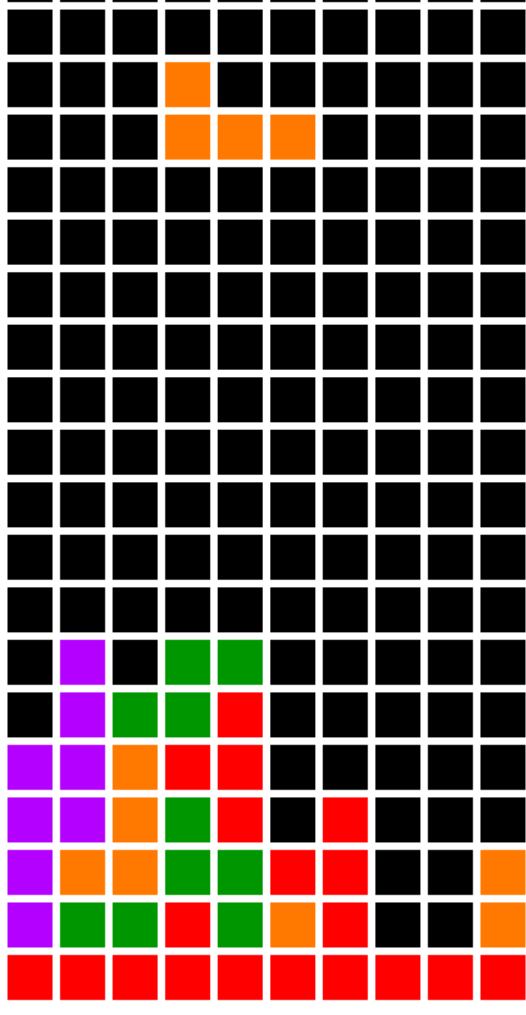
tetris.py#
  1"""
  2Tetris
  3
  4Tetris clone, with some ideas from silvasur's code:
  5https://gist.github.com/silvasur/565419/d9de6a84e7da000797ac681976442073045c74a4
  6
  7If Python and Arcade are installed, this example can be run from the command line with:
  8python -m arcade.examples.tetris
  9"""
 10# flake8: noqa: E241
 11import arcade
 12import random
 13import PIL
 14
 15# Set how many rows and columns we will have
 16ROW_COUNT = 24
 17COLUMN_COUNT = 10
 18
 19# This sets the WIDTH and HEIGHT of each grid location
 20WIDTH = 30
 21HEIGHT = 30
 22
 23# This sets the margin between each cell
 24# and on the edges of the screen.
 25MARGIN = 5
 26
 27# Do the math to figure out our screen dimensions
 28SCREEN_WIDTH = (WIDTH + MARGIN) * COLUMN_COUNT + MARGIN
 29SCREEN_HEIGHT = (HEIGHT + MARGIN) * ROW_COUNT + MARGIN
 30SCREEN_TITLE = "Tetris"
 31
 32colors = [
 33    (0,   0,   0, 255),
 34    (255, 0,   0, 255),
 35    (0,   150, 0, 255),
 36    (0,   0,   255, 255),
 37    (255, 120, 0, 255),
 38    (255, 255, 0, 255),
 39    (180, 0,   255, 255),
 40    (0,   220, 220, 255)
 41]
 42
 43# Define the shapes of the single parts
 44tetris_shapes = [
 45    [[1, 1, 1],
 46     [0, 1, 0]],
 47
 48    [[0, 2, 2],
 49     [2, 2, 0]],
 50
 51    [[3, 3, 0],
 52     [0, 3, 3]],
 53
 54    [[4, 0, 0],
 55     [4, 4, 4]],
 56
 57    [[0, 0, 5],
 58     [5, 5, 5]],
 59
 60    [[6, 6, 6, 6]],
 61
 62    [[7, 7],
 63     [7, 7]]
 64]
 65
 66
 67def create_textures():
 68    """ Create a list of images for sprites based on the global colors. """
 69    new_textures = []
 70    for color in colors:
 71        # noinspection PyUnresolvedReferences
 72        image = PIL.Image.new('RGBA', (WIDTH, HEIGHT), color)
 73        new_textures.append(arcade.Texture(str(color), image=image))
 74    return new_textures
 75
 76
 77texture_list = create_textures()
 78
 79
 80def rotate_counterclockwise(shape):
 81    """ Rotates a matrix clockwise """
 82    return [[shape[y][x] for y in range(len(shape))]
 83            for x in range(len(shape[0]) - 1, -1, -1)]
 84
 85
 86def check_collision(board, shape, offset):
 87    """
 88    See if the matrix stored in the shape will intersect anything
 89    on the board based on the offset. Offset is an (x, y) coordinate.
 90    """
 91    off_x, off_y = offset
 92    for cy, row in enumerate(shape):
 93        for cx, cell in enumerate(row):
 94            if cell and board[cy + off_y][cx + off_x]:
 95                return True
 96    return False
 97
 98
 99def remove_row(board, row):
100    """ Remove a row from the board, add a blank row on top. """
101    del board[row]
102    return [[0 for _ in range(COLUMN_COUNT)]] + board
103
104
105def join_matrixes(matrix_1, matrix_2, matrix_2_offset):
106    """ Copy matrix 2 onto matrix 1 based on the passed in x, y offset coordinate """
107    offset_x, offset_y = matrix_2_offset
108    for cy, row in enumerate(matrix_2):
109        for cx, val in enumerate(row):
110            matrix_1[cy + offset_y - 1][cx + offset_x] += val
111    return matrix_1
112
113
114def new_board():
115    """ Create a grid of 0's. Add 1's to the bottom for easier collision detection. """
116    # Create the main board of 0's
117    board = [[0 for _x in range(COLUMN_COUNT)] for _y in range(ROW_COUNT)]
118    # Add a bottom border of 1's
119    board += [[1 for _x in range(COLUMN_COUNT)]]
120    return board
121
122
123class MyGame(arcade.Window):
124    """ Main application class. """
125
126    def __init__(self, width, height, title):
127        """ Set up the application. """
128
129        super().__init__(width, height, title)
130
131        arcade.set_background_color(arcade.color.WHITE)
132
133        self.board = None
134        self.frame_count = 0
135        self.game_over = False
136        self.paused = False
137        self.board_sprite_list = None
138
139        self.stone = None
140        self.stone_x = 0
141        self.stone_y = 0
142
143    def new_stone(self):
144        """
145        Randomly grab a new stone and set the stone location to the top.
146        If we immediately collide, then game-over.
147        """
148        self.stone = random.choice(tetris_shapes)
149        self.stone_x = int(COLUMN_COUNT / 2 - len(self.stone[0]) / 2)
150        self.stone_y = 0
151
152        if check_collision(self.board, self.stone, (self.stone_x, self.stone_y)):
153            self.game_over = True
154
155    def setup(self):
156        self.board = new_board()
157
158        self.board_sprite_list = arcade.SpriteList()
159        for row in range(len(self.board)):
160            for column in range(len(self.board[0])):
161                sprite = arcade.Sprite()
162                for texture in texture_list:
163                    sprite.append_texture(texture)
164                sprite.set_texture(0)
165                sprite.center_x = (MARGIN + WIDTH) * column + MARGIN + WIDTH // 2
166                sprite.center_y = SCREEN_HEIGHT - (MARGIN + HEIGHT) * row + MARGIN + HEIGHT // 2
167
168                self.board_sprite_list.append(sprite)
169
170        self.new_stone()
171        self.update_board()
172
173    def drop(self):
174        """
175        Drop the stone down one place.
176        Check for collision.
177        If collided, then
178          join matrixes
179          Check for rows we can remove
180          Update sprite list with stones
181          Create a new stone
182        """
183        if not self.game_over and not self.paused:
184            self.stone_y += 1
185            if check_collision(self.board, self.stone, (self.stone_x, self.stone_y)):
186                self.board = join_matrixes(self.board, self.stone, (self.stone_x, self.stone_y))
187                while True:
188                    for i, row in enumerate(self.board[:-1]):
189                        if 0 not in row:
190                            self.board = remove_row(self.board, i)
191                            break
192                    else:
193                        break
194                self.update_board()
195                self.new_stone()
196
197    def rotate_stone(self):
198        """ Rotate the stone, check collision. """
199        if not self.game_over and not self.paused:
200            new_stone = rotate_counterclockwise(self.stone)
201            if self.stone_x + len(new_stone[0]) >= COLUMN_COUNT:
202                self.stone_x = COLUMN_COUNT - len(new_stone[0])
203            if not check_collision(self.board, new_stone, (self.stone_x, self.stone_y)):
204                self.stone = new_stone
205
206    def on_update(self, dt):
207        """ Update, drop stone if warrented """
208        self.frame_count += 1
209        if self.frame_count % 10 == 0:
210            self.drop()
211
212    def move(self, delta_x):
213        """ Move the stone back and forth based on delta x. """
214        if not self.game_over and not self.paused:
215            new_x = self.stone_x + delta_x
216            if new_x < 0:
217                new_x = 0
218            if new_x > COLUMN_COUNT - len(self.stone[0]):
219                new_x = COLUMN_COUNT - len(self.stone[0])
220            if not check_collision(self.board, self.stone, (new_x, self.stone_y)):
221                self.stone_x = new_x
222
223    def on_key_press(self, key, modifiers):
224        """
225        Handle user key presses
226        User goes left, move -1
227        User goes right, move 1
228        Rotate stone,
229        or drop down
230        """
231        if key == arcade.key.LEFT:
232            self.move(-1)
233        elif key == arcade.key.RIGHT:
234            self.move(1)
235        elif key == arcade.key.UP:
236            self.rotate_stone()
237        elif key == arcade.key.DOWN:
238            self.drop()
239
240    # noinspection PyMethodMayBeStatic
241    def draw_grid(self, grid, offset_x, offset_y):
242        """
243        Draw the grid. Used to draw the falling stones. The board is drawn
244        by the sprite list.
245        """
246        # Draw the grid
247        for row in range(len(grid)):
248            for column in range(len(grid[0])):
249                # Figure out what color to draw the box
250                if grid[row][column]:
251                    color = colors[grid[row][column]]
252                    # Do the math to figure out where the box is
253                    x = (MARGIN + WIDTH) * (column + offset_x) + MARGIN + WIDTH // 2
254                    y = SCREEN_HEIGHT - (MARGIN + HEIGHT) * (row + offset_y) + MARGIN + HEIGHT // 2
255
256                    # Draw the box
257                    arcade.draw_rectangle_filled(x, y, WIDTH, HEIGHT, color)
258
259    def update_board(self):
260        """
261        Update the sprite list to reflect the contents of the 2d grid
262        """
263        for row in range(len(self.board)):
264            for column in range(len(self.board[0])):
265                v = self.board[row][column]
266                i = row * COLUMN_COUNT + column
267                self.board_sprite_list[i].set_texture(v)
268
269    def on_draw(self):
270        """ Render the screen. """
271
272        # This command has to happen before we start drawing
273        self.clear()
274        self.board_sprite_list.draw()
275        self.draw_grid(self.stone, self.stone_x, self.stone_y)
276
277
278def main():
279    """ Create the game window, setup, run """
280    my_game = MyGame(SCREEN_WIDTH, SCREEN_HEIGHT, SCREEN_TITLE)
281    my_game.setup()
282    arcade.run()
283
284
285if __name__ == "__main__":
286    main()