Sprites That Follow The Player#
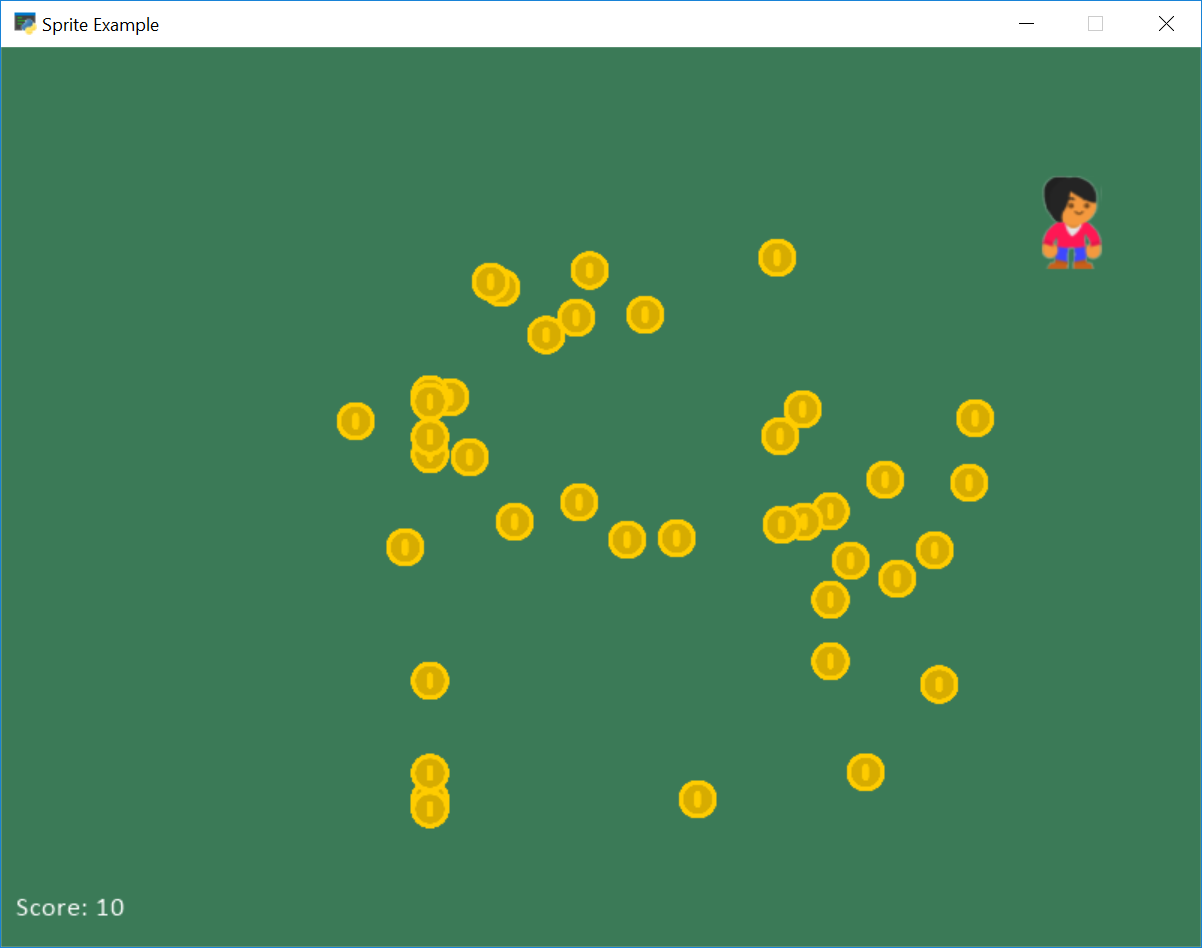
sprite_follow_simple.py#
  1"""
  2Sprite Follow Player
  3
  4This moves towards the player in both the x and y direction.
  5
  6Artwork from https://kenney.nl
  7
  8If Python and Arcade are installed, this example can be run from the command line with:
  9python -m arcade.examples.sprite_follow_simple
 10"""
 11
 12import random
 13import arcade
 14
 15# --- Constants ---
 16SPRITE_SCALING_PLAYER = 0.5
 17SPRITE_SCALING_COIN = 0.2
 18COIN_COUNT = 50
 19
 20SCREEN_WIDTH = 800
 21SCREEN_HEIGHT = 600
 22SCREEN_TITLE = "Sprite Follow Player Simple Example"
 23
 24SPRITE_SPEED = 0.5
 25
 26
 27class Coin(arcade.Sprite):
 28    """
 29    This class represents the coins on our screen. It is a child class of
 30    the arcade library's "Sprite" class.
 31    """
 32
 33    def follow_sprite(self, player_sprite):
 34        """
 35        This function will move the current sprite towards whatever
 36        other sprite is specified as a parameter.
 37
 38        We use the 'min' function here to get the sprite to line up with
 39        the target sprite, and not jump around if the sprite is not off
 40        an exact multiple of SPRITE_SPEED.
 41        """
 42
 43        if self.center_y < player_sprite.center_y:
 44            self.center_y += min(SPRITE_SPEED, player_sprite.center_y - self.center_y)
 45        elif self.center_y > player_sprite.center_y:
 46            self.center_y -= min(SPRITE_SPEED, self.center_y - player_sprite.center_y)
 47
 48        if self.center_x < player_sprite.center_x:
 49            self.center_x += min(SPRITE_SPEED, player_sprite.center_x - self.center_x)
 50        elif self.center_x > player_sprite.center_x:
 51            self.center_x -= min(SPRITE_SPEED, self.center_x - player_sprite.center_x)
 52
 53
 54class MyGame(arcade.Window):
 55    """ Our custom Window Class"""
 56
 57    def __init__(self):
 58        """ Initializer """
 59        # Call the parent class initializer
 60        super().__init__(SCREEN_WIDTH, SCREEN_HEIGHT, SCREEN_TITLE)
 61
 62        # Variables that will hold sprite lists
 63        self.player_list = None
 64        self.coin_list = None
 65
 66        # Set up the player info
 67        self.player_sprite = None
 68        self.score = 0
 69
 70        # Don't show the mouse cursor
 71        self.set_mouse_visible(False)
 72
 73        arcade.set_background_color(arcade.color.AMAZON)
 74
 75    def setup(self):
 76        """ Set up the game and initialize the variables. """
 77
 78        # Sprite lists
 79        self.player_list = arcade.SpriteList()
 80        self.coin_list = arcade.SpriteList()
 81
 82        # Score
 83        self.score = 0
 84
 85        # Set up the player
 86        # Character image from kenney.nl
 87        self.player_sprite = arcade.Sprite(":resources:images/animated_characters/female_person/"
 88                                           "femalePerson_idle.png", SPRITE_SCALING_PLAYER)
 89        self.player_sprite.center_x = 50
 90        self.player_sprite.center_y = 50
 91        self.player_list.append(self.player_sprite)
 92
 93        # Create the coins
 94        for i in range(COIN_COUNT):
 95            # Create the coin instance
 96            # Coin image from kenney.nl
 97            coin = Coin(":resources:images/items/coinGold.png", SPRITE_SCALING_COIN)
 98
 99            # Position the coin
100            coin.center_x = random.randrange(SCREEN_WIDTH)
101            coin.center_y = random.randrange(SCREEN_HEIGHT)
102
103            # Add the coin to the lists
104            self.coin_list.append(coin)
105
106    def on_draw(self):
107        """ Draw everything """
108        self.clear()
109        self.coin_list.draw()
110        self.player_list.draw()
111
112        # Put the text on the screen.
113        output = f"Score: {self.score}"
114        arcade.draw_text(output, 10, 20, arcade.color.WHITE, 14)
115
116    def on_mouse_motion(self, x, y, dx, dy):
117        """ Handle Mouse Motion """
118
119        # Move the center of the player sprite to match the mouse x, y
120        self.player_sprite.center_x = x
121        self.player_sprite.center_y = y
122
123    def on_update(self, delta_time):
124        """ Movement and game logic """
125
126        for coin in self.coin_list:
127            coin.follow_sprite(self.player_sprite)
128
129        # Generate a list of all sprites that collided with the player.
130        hit_list = arcade.check_for_collision_with_list(self.player_sprite, self.coin_list)
131
132        # Loop through each colliding sprite, remove it, and add to the score.
133        for coin in hit_list:
134            coin.remove_from_sprite_lists()
135            self.score += 1
136
137
138def main():
139    """ Main function """
140    window = MyGame()
141    window.setup()
142    arcade.run()
143
144
145if __name__ == "__main__":
146    main()