GUI Widgets#
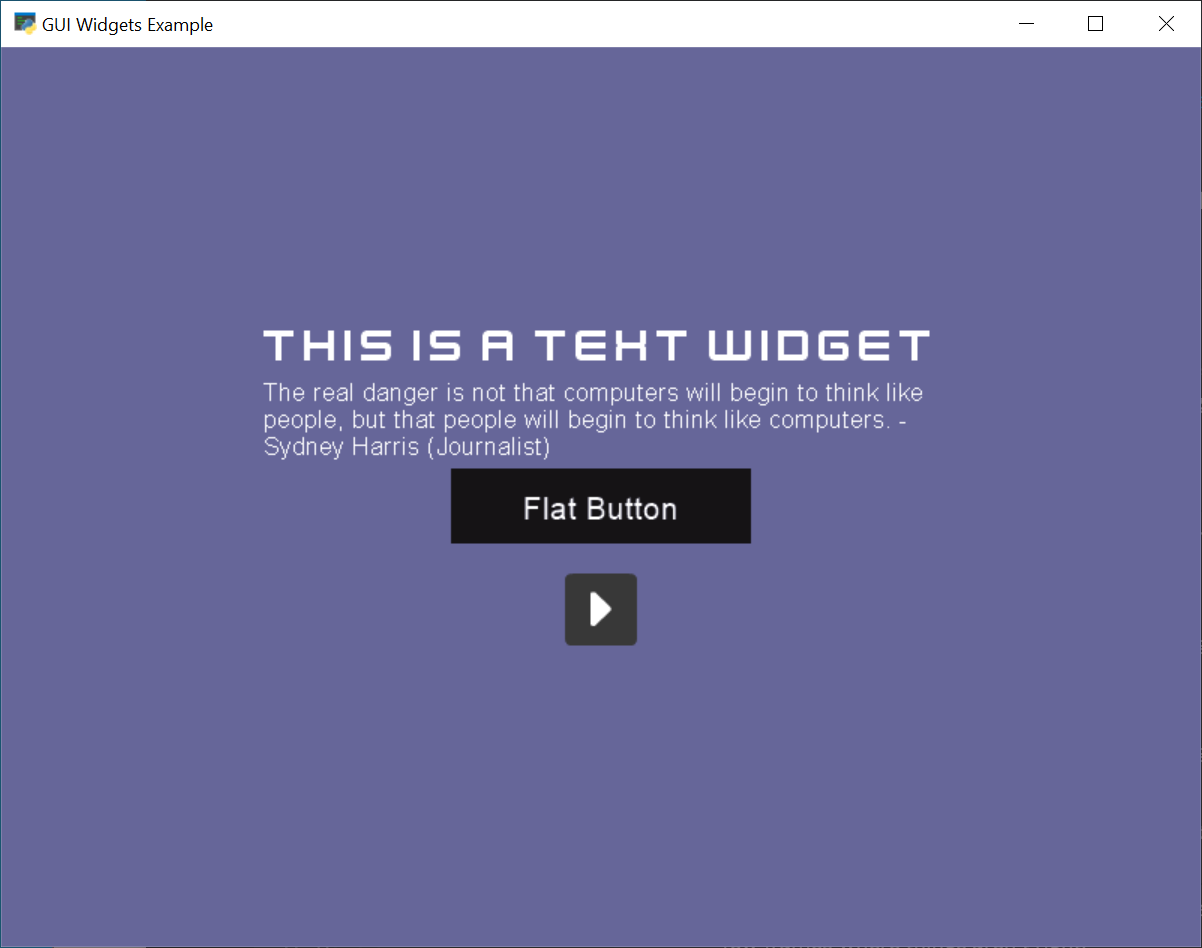
gui_widgets.py#
 1"""
 2Example code showing how to create some of the different UIWidgets.
 3
 4If Python and Arcade are installed, this example can be run from the command line with:
 5python -m arcade.examples.gui_widgets
 6"""
 7import arcade
 8import arcade.gui
 9import arcade.gui.widgets.buttons
10import arcade.gui.widgets.layout
11import arcade.gui.widgets.text
12
13
14class MyWindow(arcade.Window):
15    def __init__(self):
16        super().__init__(800, 600, "GUI Widgets Example", resizable=True)
17
18        # --- Required for all code that uses UI element,
19        # a UIManager to handle the UI.
20        self.manager = arcade.gui.UIManager()
21        self.manager.enable()
22
23        # Set background color
24        arcade.set_background_color(arcade.color.DARK_BLUE_GRAY)
25
26        # Create a vertical BoxGroup to align buttons
27        self.v_box = arcade.gui.widgets.layout.UIBoxLayout(space_between=20)
28
29        # Create a text label
30        ui_text_label = arcade.gui.widgets.text.UITextArea(
31            text="This is a Text Widget",
32            width=450,
33            height=40,
34            font_size=24,
35            font_name="Kenney Future",
36        )
37        self.v_box.add(ui_text_label)
38
39        text = (
40            "The real danger is not that computers will begin to think like people, "
41            "but that people will begin "
42            "to think like computers. - Sydney Harris (Journalist)"
43        )
44        ui_text_label = arcade.gui.widgets.text.UITextArea(
45            text=text, width=450, height=60, font_size=12, font_name="Arial"
46        )
47        self.v_box.add(ui_text_label)
48
49        # Create a UIFlatButton
50        ui_flatbutton = arcade.gui.widgets.buttons.UIFlatButton(
51            text="Flat Button", width=200
52        )
53        self.v_box.add(ui_flatbutton)
54
55        # Handle Clicks
56        @ui_flatbutton.event("on_click")
57        def on_click_flatbutton(event):
58            print("UIFlatButton pressed", event)
59
60        # Create a UITextureButton
61        texture = arcade.load_texture(":resources:onscreen_controls/flat_dark/play.png")
62        ui_texture_button = arcade.gui.widgets.buttons.UITextureButton(texture=texture)
63
64        # Handle Clicks
65        @ui_texture_button.event("on_click")
66        def on_click_texture_button(event):
67            print("UITextureButton pressed", event)
68
69        self.v_box.add(ui_texture_button)
70
71        # Create a widget to hold the v_box widget, that will center the buttons
72        self.manager.add(
73            arcade.gui.widgets.layout.UIAnchorLayout(children=[self.v_box])
74        )
75
76    def on_click_start(self, event):
77        print("Start:", event)
78
79    def on_draw(self):
80        self.clear()
81        self.manager.draw()
82
83
84window = MyWindow()
85arcade.run()